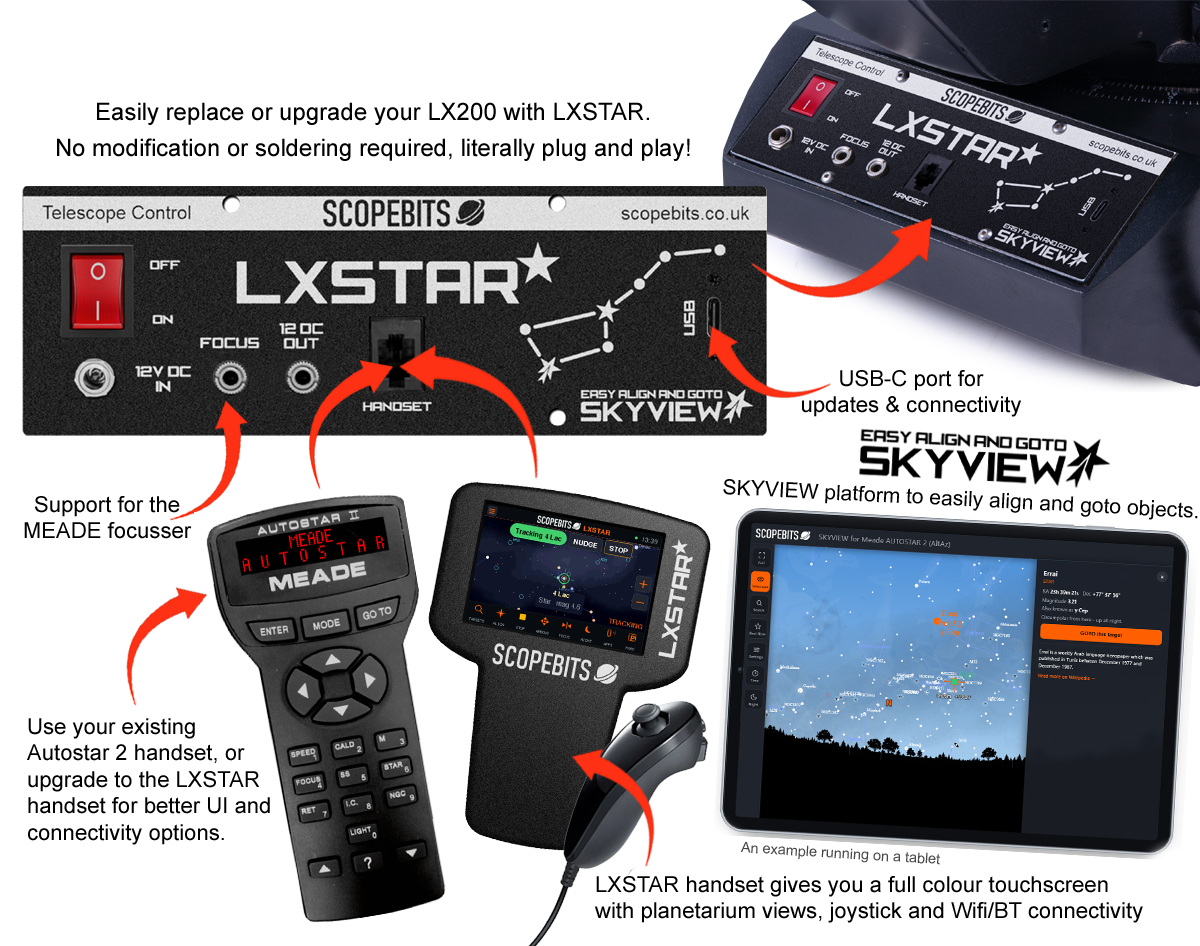
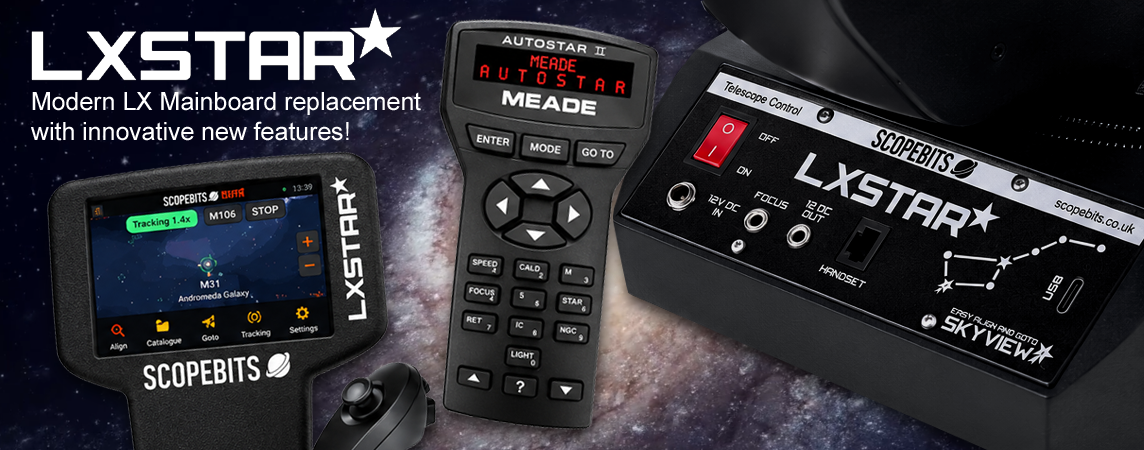
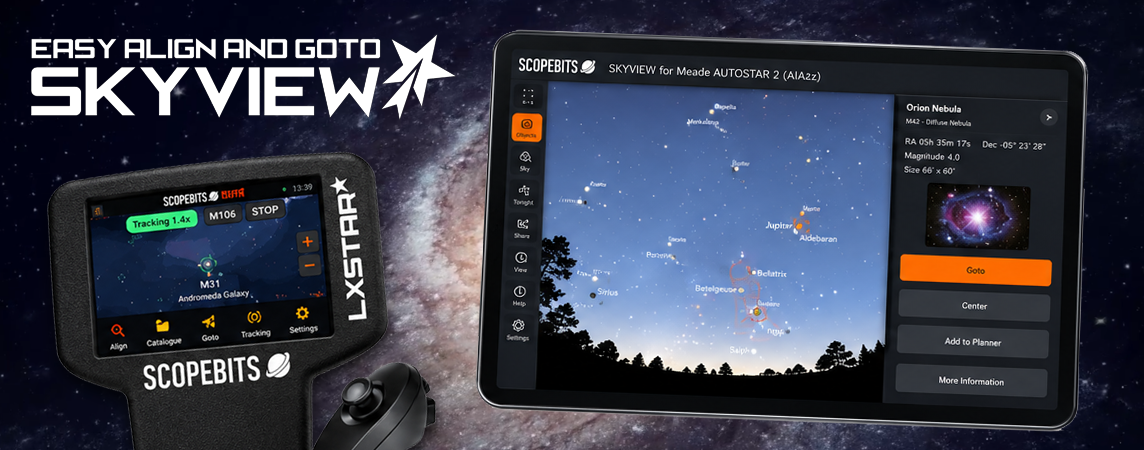
LXSTAR is a plug-and-play replacement mainboard for Meade LX200GPS/ACF/R series telescopes. Unplug your old board, lift it out and plug in LXSTAR. Your original motors and motor boards are reused exactly as they are. There's no soldering, no modification needed, and nothing you can't undo. Your original AutoStar II, ClickStar or TouchStar handset works straight away, with full alignment and the GoTo catalogues. Or go further with the LXSTAR touch handset. The optional colour touchscreen handset adds: a live planetarium: tap a star to align, tap a target to GoTo; WiFi and Bluetooth for SkySafari, Stellarium, NINA and SharpCap; the SkyView app; and much more.
Quickly jump to an information section using these buttons
LXSTAR component overview
LXSTAR is ready to swap out a failed or upgraded Meade mount mainboard. Ready for LX200 ACF, LX200 GPS & LX200 R. Options to use your original Autostar handset, or supercharge your experience and connectivity with the LXSTAR handset.
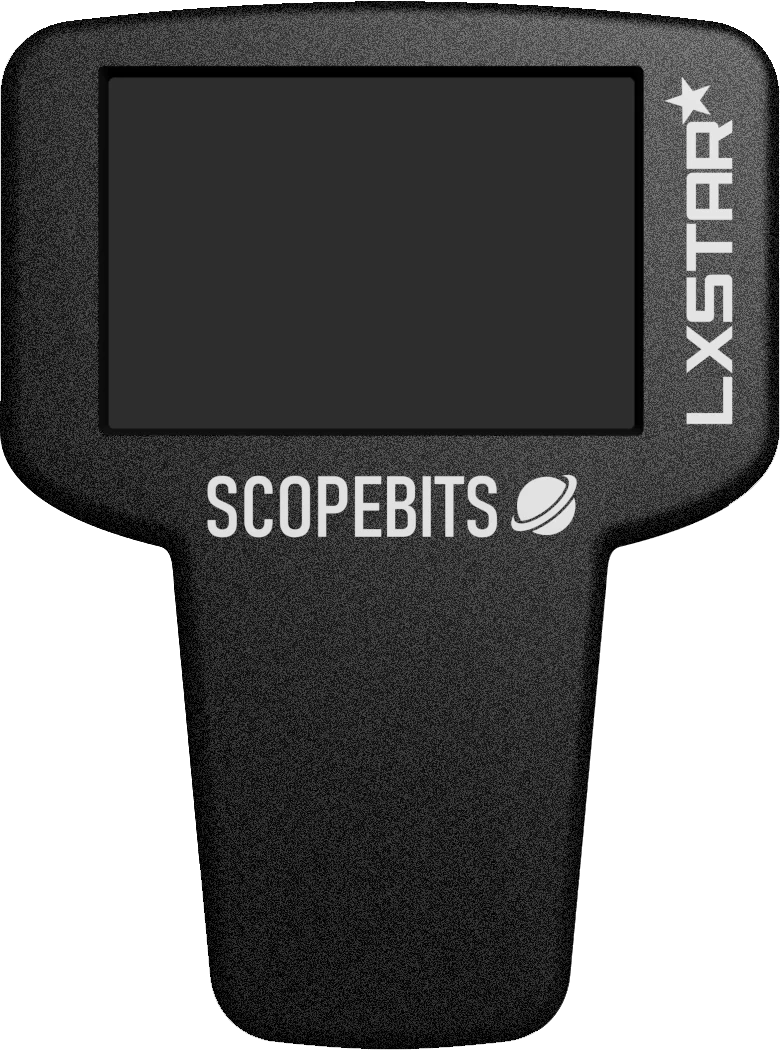
LXSTAR Handset
LXSTAR is the ultimate way to take full advantage of your LXSTAR mainboard. Gives you more features over the stock Meade Autostar - Joystick, App connect (ASCOM & Planetariums) and a better UI and visualisation. This is the real handset firmware running in your browser, wired to a simulated LX200 mount. Tap the screen (or click) exactly as you would on the 3.5" handset: align on stars, GoTo from the planetarium, park, train the drive. It's vastly different from the stock Meade Autostar 2 handset.
Give it a try, select your tube size and try some of the features. LXSTAR has a high quality capacitive touch screen.
Above you can play with the handset, however this gives you more information about all the screens and what they do.
SKYVIEW Planetarium align & goto
Take advantage of the SKYVIEW align & goto process. Use it on a bigger screen such as a tablet or computer. Simply click on night sky objects and the LXSTAR does the rest. Once aligned you can pass off control of the scope to ASCOM apps such as SharpCap or N.I.N.A or popular planetarium apps such as SkySafari or Stellarium. The LXSTAR handset will also show you where it is going.
This SKYVIEW demo is already connected, ready for you to align.
First select the number of alignment stars, the more the finer the resulting gotos will be. Simply click on any bright star to start the alignment process.
SkyView runs in any browser: Bluetooth or USB to the mount. Note this uses simulated encoder data, and will not represent a live mount. The demo shows it on a tablet device.
See how the SKYVIEW app can control your telescope via the LXSTAR handset.
Starting ...
The LXSTAR handset on the scope. RESET starts both again. Some features will not be available.
Installing the Mainboard
It really is super simple to install your LXSTAR mainboard. No soldering required and it is plug and play! You only need to remove the original Meade mainboard, unplug the connectors, and then plug them into your LXSTAR.
How to update the firmware
You can easily update the firmware in your LXSTAR MainBoard or Handset using the web updater here.
FAQ
Here are some of the frequently asked questions.
Check these as they may answer any support questions
LXSTAR is a plug-and-play replacement mainboard for Meade LX200 telescopes. It takes over from the original Meade mainboard and drives your existing motors, so your telescope can GoTo, track and connect to modern apps again - whether your original board has failed or you simply want more from your scope.
LXSTAR currently supports the Meade LX200GPS family (8" to 16"), in alt-az or on a wedge. Support for other Meade models will be added once each has been fully tested. If you are unsure whether your telescope is compatible, please contact us before ordering.
No. LXSTAR plugs into the same connectors as the original Meade mainboard. Your motors, motor boards and cables are used exactly as they are - no cutting, soldering or drilling. You can refit your original board at any time.
If you can use a screwdriver, you can fit LXSTAR. Disconnect and remove the original mainboard, plug in LXSTAR and fit the new panel. There is no software to install or configure - switch on and the telescope is ready. Full step-by-step instructions are here.
Yes. Your original Autostar II handset plugs straight into LXSTAR and gives you full control: alignment, GoTo from the catalogues, tracking and slewing. The newer features, such as the live planetarium, SkyView and app connectivity, need the optional LXSTAR handset.
Yes. ClickStar and TouchStar work with LXSTAR just as they do with the original Meade board, giving you full alignment and the GoTo catalogues.
The LXSTAR handset is a colour touchscreen with a live planetarium of tonight's sky. Tap a star to align, tap a target to GoTo, and watch the scope move on screen. It adds automatic level and north, SkyView, WiFi and Bluetooth for planetarium and astronomy apps, park and resume, drive training, slew limits and much more. See the screens guide on this page for a tour of every feature.
SkyView is our planetarium app for tablets, phones and computers. It runs in your web browser with nothing to install. Use it to align and GoTo on a bigger screen: simply tap objects in the night sky and LXSTAR does the rest. SkyView is available to users of the LXSTAR handset. Try it here.
Yes, with the LXSTAR handset. Once aligned, you can hand control of the telescope to planetarium apps such as SkySafari and Stellarium over WiFi or Bluetooth, and to ASCOM imaging software such as N.I.N.A. and SharpCap. Several apps can share the scope at the same time.
Yes. LXSTAR works with the GPS, level and north sensors already built into your LX200GPS. With the LXSTAR handset, the telescope can set its own time and location and find level and north automatically before you align.
Yes. LXSTAR has its own battery-backed clock, so the date and time are kept between sessions. Most nights you can simply confirm the time and site and go straight to aligning.
Yes. LXSTAR supports both alt-az and polar (wedge) mounting. On a wedge it guides you through setting the polar home position and centring Polaris with the wedge adjusters, in the same way as Meade's own polar alignment.
Yes. Plug your Meade focuser into the FOCUS socket on the LXSTAR panel and control it from the LXSTAR handset, or from SkyView.
Yes. Park the telescope at the end of the night and switch off. If the scope has not been moved, LXSTAR restores the alignment at the next power-up, ready to GoTo straight away.
LXSTAR runs from the same 12V DC supply as your LX200. Please check the polarity of your power lead matches the marking on the panel before connecting. The 12V DC OUT socket can power a small accessory such as a dew heater controller.
Yes. LXSTAR and the LXSTAR handset are actively developed, and firmware updates bring new features and improvements. Details of how to update are here.
Yes. The interactive demos on this page run the real LXSTAR handset firmware and SkyView in your browser, connected to a simulated telescope. Try aligning and GoTo for yourself.
Customer reviews
Here are some reviews from customers about their LXSTAR.
Also check out the gallery to see customer images of ScopeBits gear in action.
BUY
If all of the above info has interested you, and you are interested in purchasing an LXSTAR, visit the store to see purchasing options.